API Reference
API Keys
API keys authenticate requests to recognition endpoints (enroll, verify, identify, liveness). Each key is scoped to a single collection, draws on your organization's rate limit, and can optionally restrict access to a list of IP addresses or CIDR ranges.
Keys are stored as SHA-256 hashes. The plaintext key is only returned once at creation. If lost, the key must be regenerated.
Creating an API key
API keys are created from the dashboard under API Keys → Create Key. Key management endpoints are CORS-restricted to the dashboard and are not accessible from external applications.
When creating a key you select the target collection, set an optional rate limit override, and optionally restrict access to specific IP addresses. The full key value is shown once only. Copy it immediately and store it securely in your environment or secrets manager.
Key format
All API keys follow the format lxf_<8 hex chars>_<24 chars>. The leading lxf_<8 hex chars> is the key prefix, which is stored and shown in the console so you can identify a key without revealing it. There is no separate test key format — use a dedicated organization for testing instead.
Request parameters
| Parameter | Type | Required | Description |
|---|---|---|---|
| name | string | Yes | Human-readable label for this key. |
| scopes | string[] | No | face:read, face:write, or both. Empty grants both. |
| allowedIps | string[] | No | IP addresses or CIDR ranges. Empty allows any IP. |
| customRateLimitRpm | integer | No | A lower per-minute limit for this key alone, from 1 up to your plan's rate. The key still draws on the organization's budget. Leave it out to use the plan rate. |
| expiresAt | string | No | RFC 3339 timestamp after which the key stops working. |
| isSandbox | boolean | No | Sandbox keys are metered separately and cannot touch live collections. |
Managing keys in the dashboard
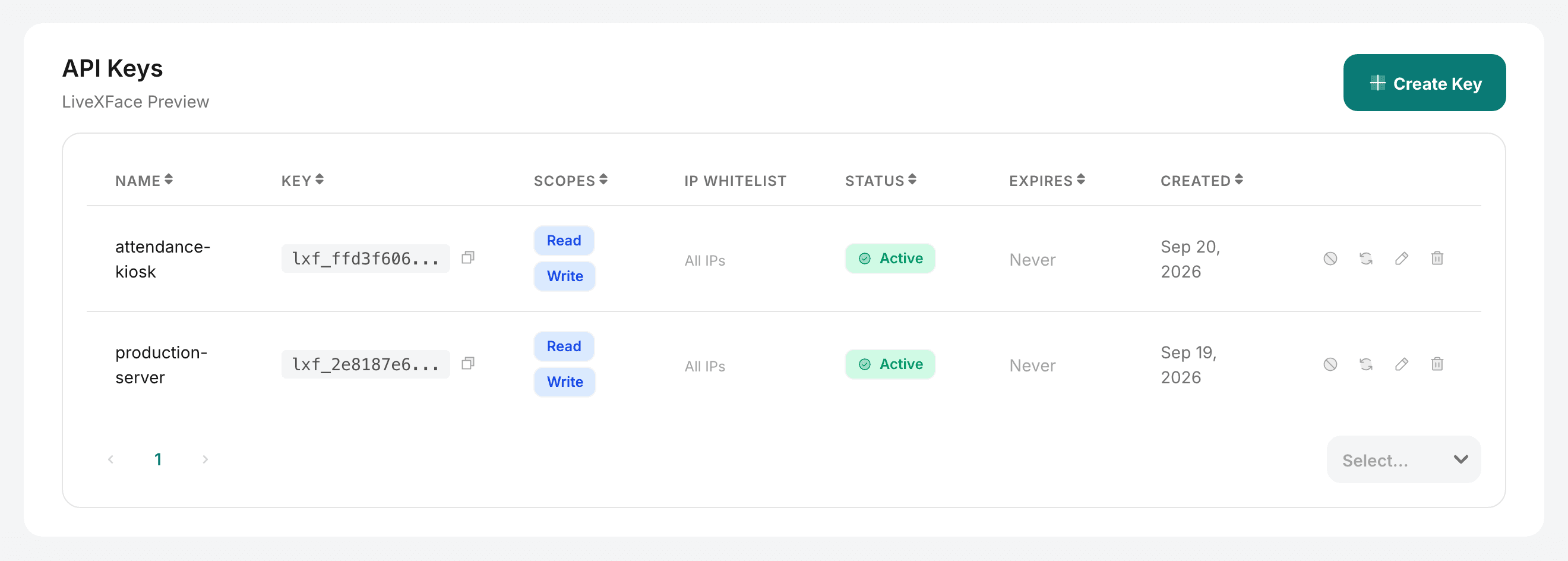
- List: The API Keys page shows all keys with their name, collection, last-used timestamp, and a masked key prefix for identification.
- Update: Edit a key to change its name, rate limit, or IP whitelist.
- Revoke / delete: Immediately invalidates the key. Any in-flight requests using the key will fail with
INVALID_API_KEY. - Regenerate: Issues a new key value while keeping the same settings. The old value is invalidated.
Key limits by plan
| Plan | Keys per member | Requests per minute |
|---|---|---|
| Free | 1 | 20 |
| Starter | 2 | 30 |
| Pro | 5 | 100 |
| Enterprise | 20 | 300 |
The rate belongs to the organization: all its keys share it, so a second key does not bring a second budget. Sandbox keys are held to 10 requests a minute each. The dashboard's own recognition features (the playground, enrolling from the dashboard) count in a separate budget at the same rate, so testing there never slows your production traffic.
IP whitelisting examples
// Allow a single IP
"allowedIps": ["198.51.100.42"]

// Allow a subnet (CIDR notation)
"allowedIps": ["10.0.0.0/8"]

// Multiple entries
"allowedIps": ["203.0.113.0/24", "198.51.100.0/24", "192.0.2.5"]

// Allow all IPs (default)
"allowedIps": []